
BKi AI Chat


BKiAI Chat – the AI chatbot, install your own ChatGPT-based chatbot on WordPress. Live in 10 minutes
Install your own AI chatbot on WordPress — live in 10 minutes. Up to 20 bots per website. Data stays on your server. From €0 with the Free version, from €34/year for the full Premium edition.
- No SaaS. All data runs through your own host server and your own OpenAI key.
- GDPR-compliant. Automatic retention control for chat logs and leads, optionally after 30/90/180/365 days.
- All models. From GPT-4o mini to GPT-5.4 pro — choose the right model for each bot.
 BKiAI KI Chatbot
Start for free with Free or upgrade to Pro and Expert for more bots and advanced AI features.
- /Voice >url< activates browser-based reading aloud of the content of a webpage
- more examples:
“/voice Please briefly summarize this article for me: https://…”
“Please activate Voice Mode and read this article aloud briefly for me: https://…”
Integrate AI chatbots directly into WordPress
With BKiAI Chat, you get a WordPress plugin for AI chatbots that is designed for easy management, flexible customization, and professional use cases.
Who BKiAI Chat is especially worthwhile for
- Companies and self-employed professionals who do not want to pay monthly fees
- Agencies that set up chatbots for clients (Expert with 20 bots)
- Consulting service providers who need lead capture and contextual knowledge from their own documents
- GDPR-sensitive industries (law firms, medical practices, tax advisors) that do not want to send data to US SaaS providers
- Multilingual websites — the bot communicates natively in German and English
Already in the Free version, the design settings are fully available, so the chatbot can be visually adapted cleanly to your website. With Pro and Expert, the range of functions is significantly expanded: this includes, among other things, voice features, live conversation, image and PDF generation, web search, website knowledge, lead capture, context-dependent action buttons, and chat logs. The bot can be configured in the backend in German or English. In addition, the user can choose between German and English in the front end.
This means the plugin grows with your requirements — from the first AI chatbot on a website to a professional multi-bot solution.
Functions of the WordPress AI Chatbot Plugin BKiAI Chat
BKiAI Chat was developed not only to technically integrate AI chatbots into WordPress, but also to make them professionally usable.
The core capabilities include managing bots directly in the WordPress backend, extensive design customization for the chat window, and—depending on the edition—advanced features for Voice, Live Conversation, and productive AI applications on websites.
Design and customization
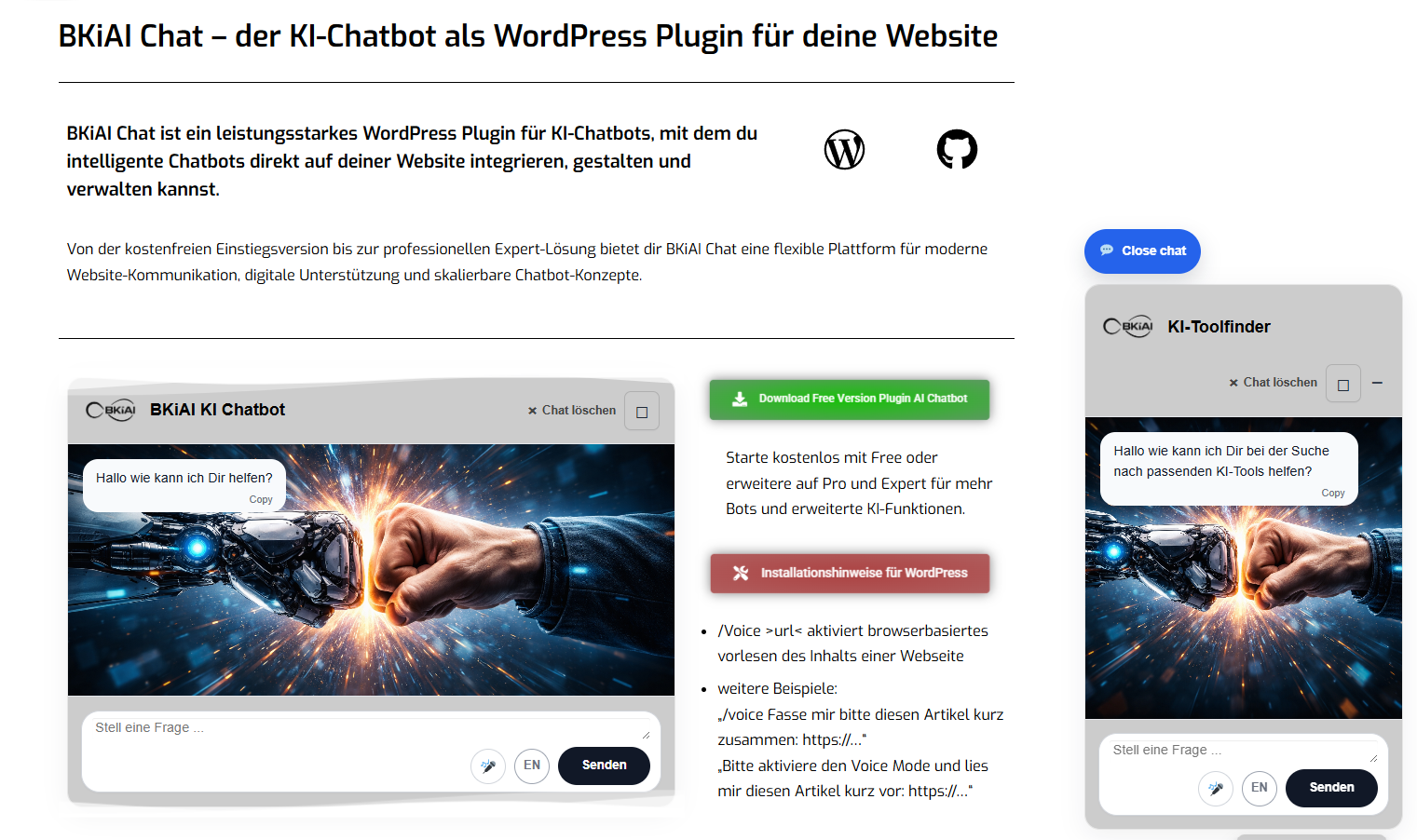
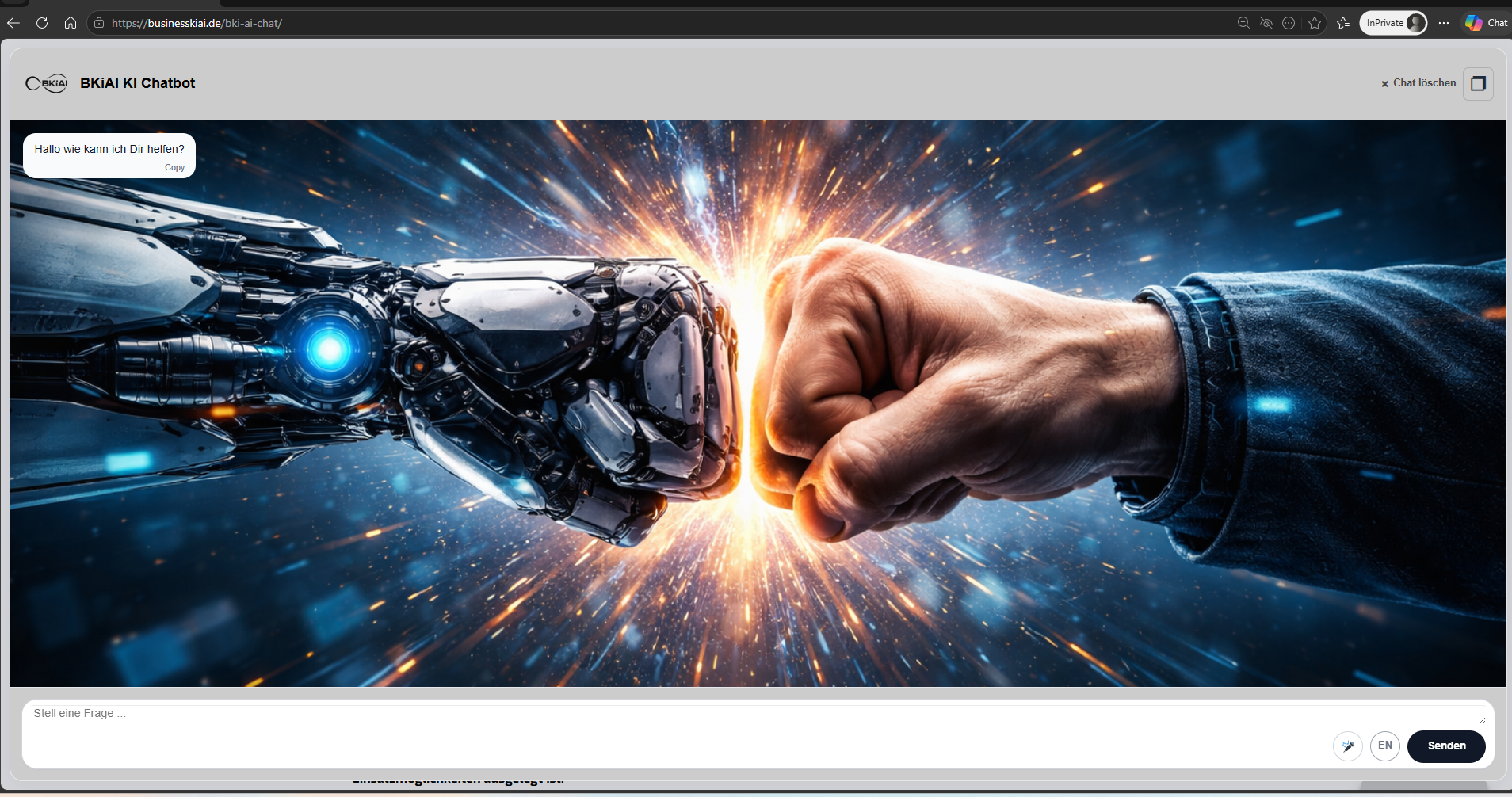
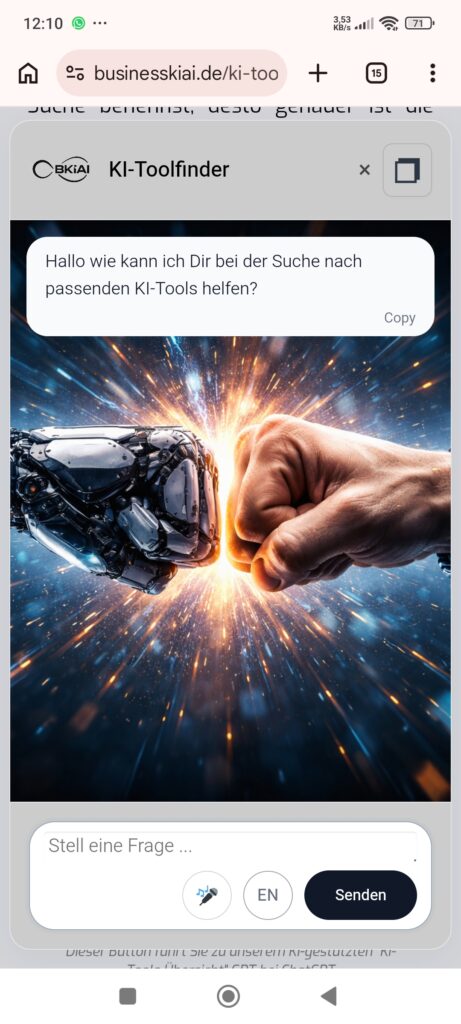
All editions offer comprehensive design settings so that the WordPress chatbot can be visually adapted to your website’s layout, colors, and user guidance. All chatbots can be permanently embedded on the website via shortcode. The first bot can additionally be used as a popup window on the website.
Bot management
Depending on the edition, you can use and manage one or more AI chatbots on your WordPress website. Each bot has its own system prompt, its own knowledge base, and can access the internet. In addition, various GPT models are available to you.
Voice and Live Conversation
Three independent voice functions are available:
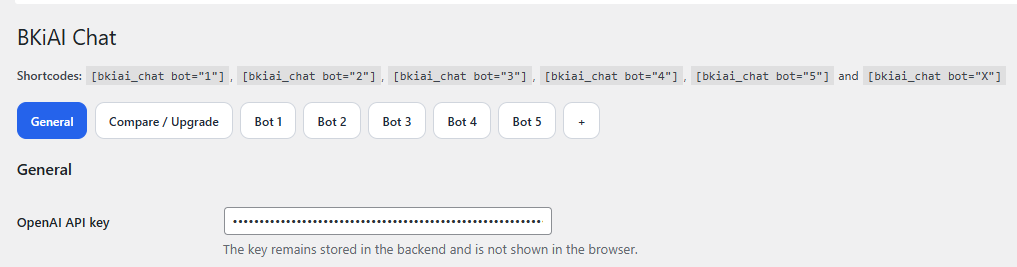
Voice Input (voice recording — all editions) Microphone button directly in the chat. Users speak their question, the plugin converts it into text and sends it to the bot.
Live Voice Conversation (Pro/Expert) Real-time voice conversation with the bot — comparable to the voice mode in ChatGPT. Users speak, the bot responds verbally. Supports German and English with different voices.
URL Read-Aloud (Pro/Expert) The bot reads content from any URL aloud. Example command:
/voice Please briefly summarize this article for me: https://…
Lead capture
The chatbot recognizes situationally when visitors want to get in touch and offers an integrated contact form directly in the chat. The aggressiveness can be set at three levels (reserved, balanced, active). With built-in quadruple spam protection (honeypot, minimum dwell time, IP-based rate limiting, context hurdle).
All leads are stored in the site’s own WordPress backend with filter function, status management (new / in progress / contacted / won / rejected), notes, and CSV export. Email notification to the admin for every new lead.
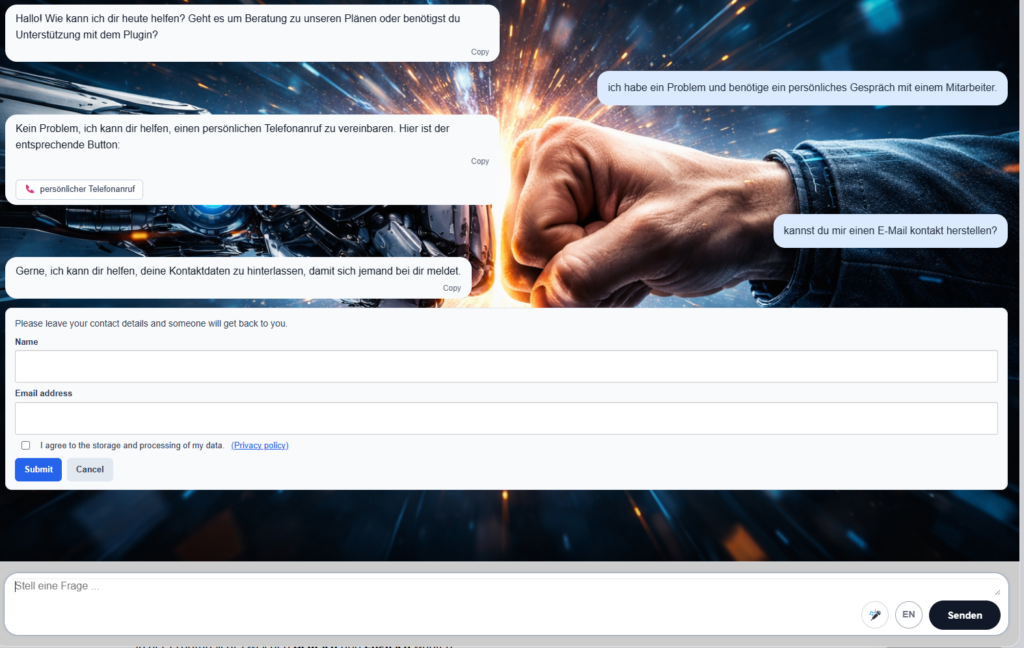
The chatbot recognizes situationally when visitors want to get in touch and offers an integrated contact form directly in the chat. The aggressiveness can be set in three levels (reserved, balanced, active). With built-in fourfold spam protection (honeypot, minimum dwell time, IP-based rate limiting, context hurdle).
All leads are stored in the site’s own WordPress backend with filtering, status management (new / in progress / contacted / won / rejected), notes, and CSV export. E-mail notification to the admin for every new lead.
GDPR: consent with timestamp and versioning, IP hashing (no storage of the plain-text IP), automatic deletion after a configurable retention period. All stored leads are automatically deleted after a period you define (30, 90, 180, or 365 days — the default is 90 days, GDPR-compliant). Leads marked as “won” are retained indefinitely (customer base justification). A daily background process handles cleanup automatically; additionally, a manual instant cleanup is available at the click of a button.
Context-based action buttons
For each bot, you can configure up to three buttons that the bot attaches to its responses depending on the situation. Four action types are available:
- External Link — opens a URL in a new tab (e.g. “View prices”)
- Contact Form — opens the lead capture form
- Follow-up question to bot — sends a predefined follow-up question
- Phone number — opens the user’s phone app
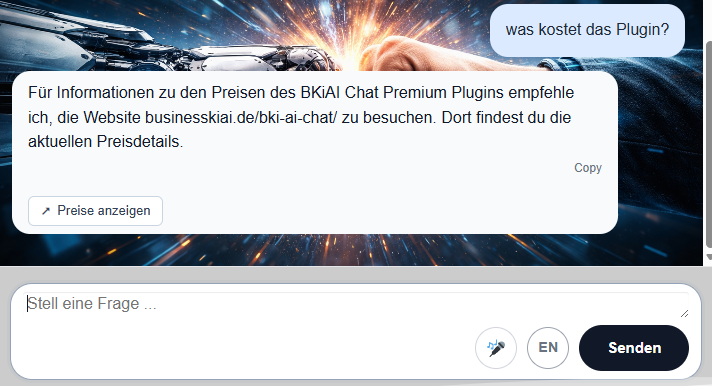
The bot automatically decides when a button is appropriate — based on “when to show” hints that you store in the backend. Channel priority rule: for “call/telephone/mobile,” the Phone button is used; for “contact/email/write,” the lead form is used.
Image generation
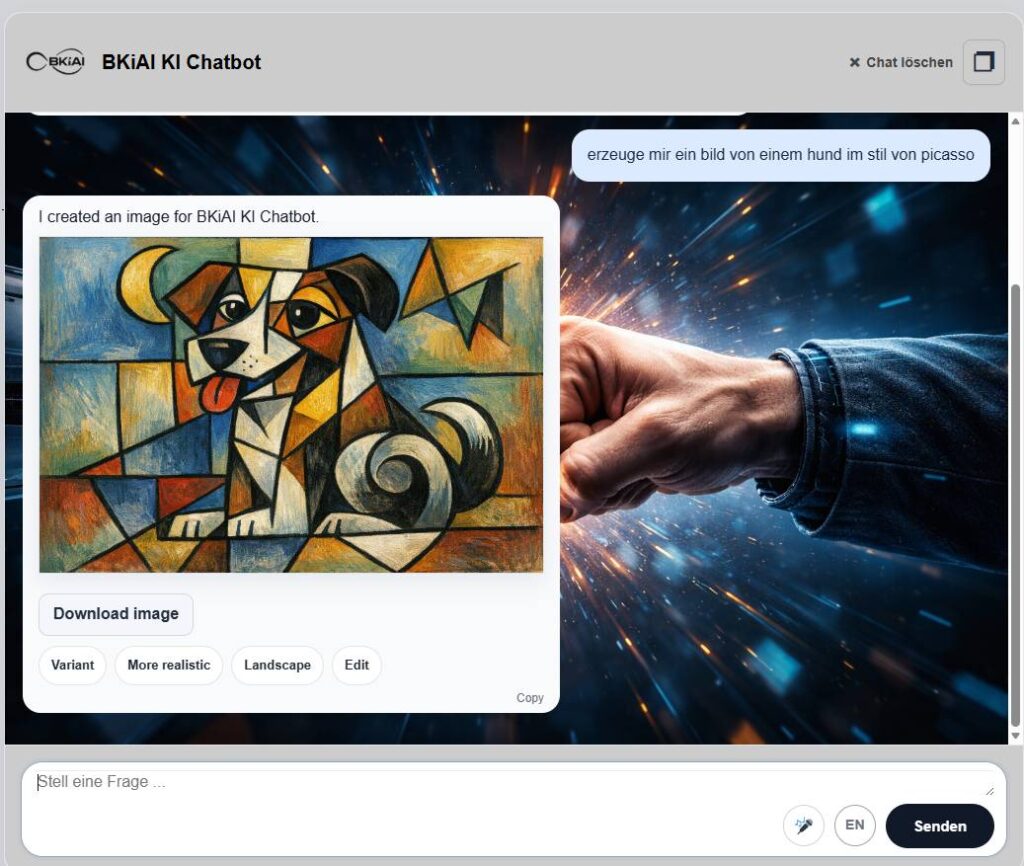
In Pro and Expert, additional image generation and image editing functions are available. Here, depending on the configuration, the chatbot can work with GPT image 1 or GPT image 1.5. This setting is additionally available to the common text models during use.
Generated images are followed by action buttons for quick iteration: “Variant” (alternative version), “More realistic”, “Landscape” (rotate format), “Edit” (targeted change requests).
Keywords for starting image generation are: draw, paint, sketch, illustrate, generate image, create image, draw/paint/sketch… etc.
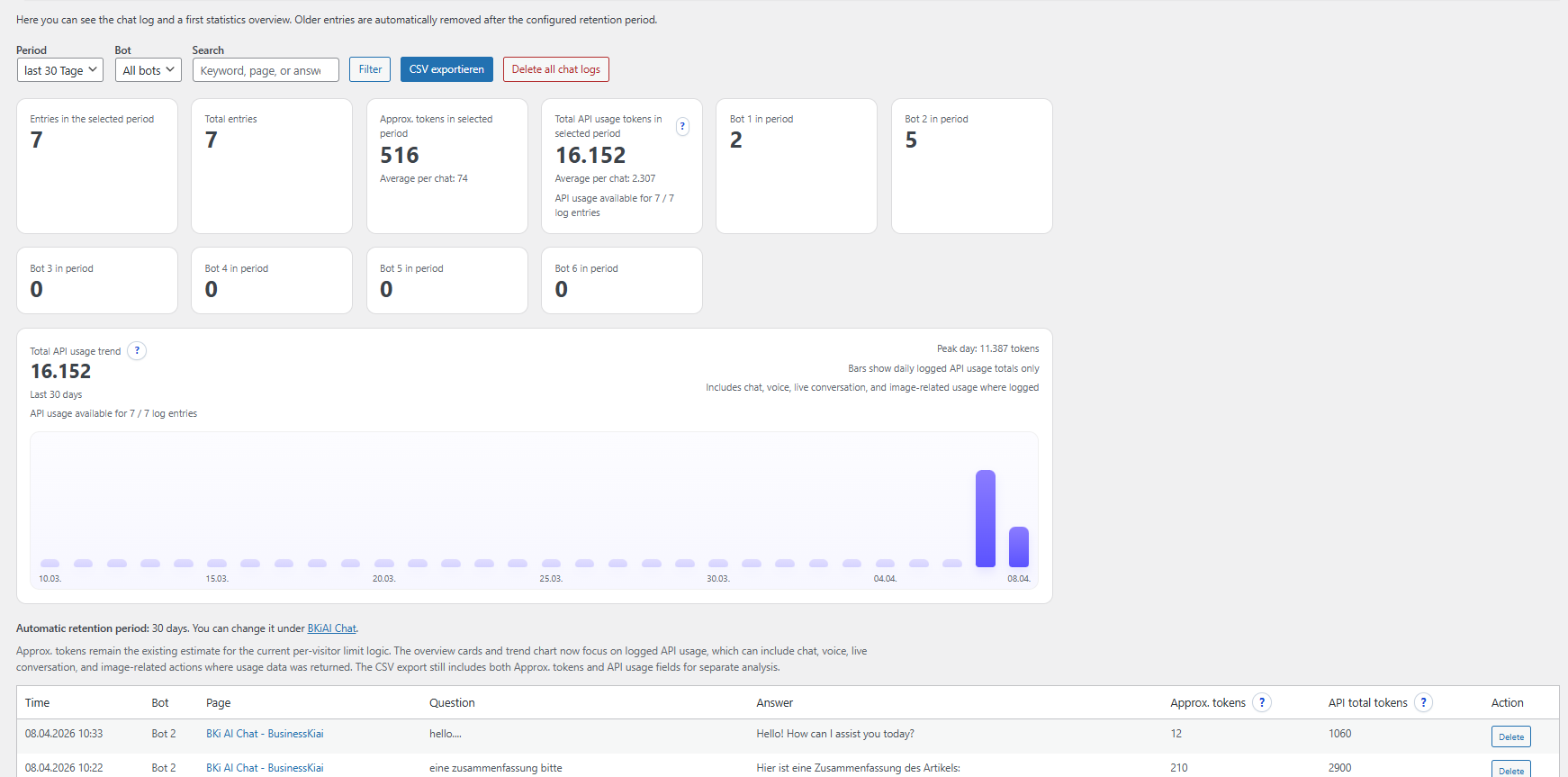
Chat Logs
Additionally, the conversation of the chat histories can be automatically saved and individually deleted after 1 and a maximum of 180 days, which is important for GDPR compliance. The chat history can also be deleted individually, and a CSV export function is also available. By default, the chat histories are stored on the website’s own host server.
Additionally, there is an overview of the actual tokens consumed via the API interface
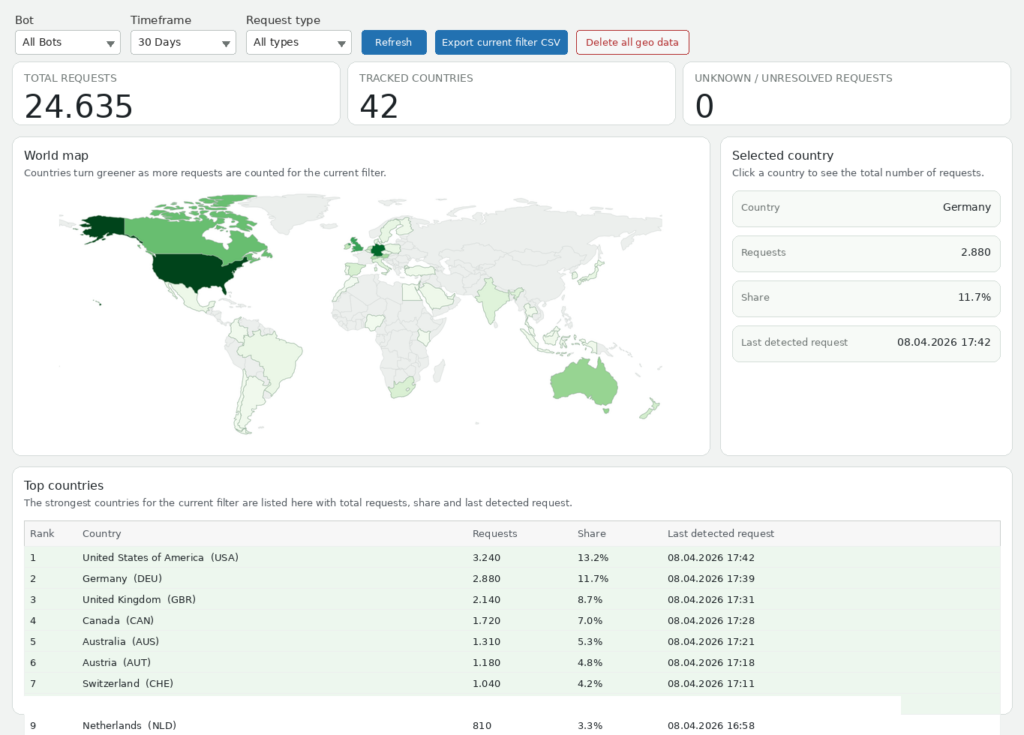
GEO Analytics
In the backend, you will find an overview of your users’ activities. How many requests were made from which country in the world. A distinction can be made between chat requests, /voice requests, and Live Conversation requests. This clearly shows from which country most usage comes.
BKiAI Chat Free, Pro and Expert Compared
BKiAI Chat Free – the free entry point for an AI chatbot in WordPress
BKiAI Chat Free is the free entry-level version for anyone who wants to test or use a AI chatbot on a WordPress website for the first time.
This version is especially suitable for smaller websites, initial chatbot projects, and users who want to get to know the plugin without obligation.
Key features of Free:
1 bot per website
full design settings
ideal for getting started, testing, and initial use cases
BKiAI Chat Pro – the professional WordPress chatbot solution for a website
BKiAI Chat Pro is aimed at anyone who wants to use a professional AI chatbot for WordPress productively.
With Pro, you can use 2 bots per website, each with up to 25MB of knowledge files, and gain access to advanced features for professional applications.
These include:
Voice/voice functions
Live Conversation / Live Voice
Image and PDF generation
Web search / website knowledge
- Action buttons
- Lead capture
Chat logs
BKiAI Chat Pro is particularly suitable for corporate websites, consulting services, digital services, and structured website communication.
BKiAI Chat Expert – the scalable multi-bot solution for WordPress
BKiAI Chat Expert is the most powerful edition of BKiAI Chat for demanding projects, larger websites, and scalable multi-bot concepts.
With Expert, you can manage up to 20 bots per website, each with up to 100MB of knowledge files. This makes this edition especially suitable for complex use cases, multiple applications within a website, and professional bot structures.
The advanced AI features are also fully included in Expert:
Language/Voice functions
Live Conversation / Live Voice
Image and PDF generation
Web search / website knowledge
- Action buttons
- Lead capture
Chat logs
BKiAI Chat Expert is especially suitable for corporate websites, consulting services, digital services, and complex projects with up to 20 bots per website and maximum flexibility for scalable chatbot concepts.
| Features | Free | Pro | Expert |
|---|---|---|---|
| Bots & Basics | |||
| Active bots | 1 | 2 | up to 20 |
| GPT models Available OpenAI language models | GPT-4o mini, GPT-4.1 mini |
Full model set incl. GPT-5.4 pro | Full model set incl. GPT-5.4 pro |
| Custom system prompts | ✓ 1 bot | ✓ 2 bots | ✓ up to 20 bots |
| Embedding & Design | |||
| Popup window | ✓ | ✓ | ✓ |
| Embedding via shortcode | ✓ | ✓ | ✓ |
| Design settings with custom background image | ✓ | ✓ | ✓ |
| Knowledge Files & Website Knowledge | |||
| Knowledge file formats | Markdown, Text, CSV | Markdown, Text, CSV | Markdown, Text, CSV |
| Number of knowledge files | max. 1 file | extended | extended |
| Maximum upload per bot | 10 MB | 25 MB | 100 MB |
| Website knowledge Crawls content from your own website | — | ✓ | ✓ |
| Language & Voice | |||
| Voice input in chat Microphone button, browser-based | ✓ | ✓ | ✓ |
| Live Voice Conversation Real-time voice chat like in ChatGPT | — | ✓ | ✓ |
| URL read-aloud mode Read articles aloud via /voice command | — | ✓ | ✓ |
| Frontend languages | DE | DE / EN | DE / EN |
| Advanced AI Features | |||
| PDF generation | — | ✓ | ✓ |
| Image generation | — | ✓ GPT image 1 & 1.5 | ✓ GPT image 1 & 1.5 |
| Image editing | — | ✓ GPT image 1 & 1.5 | ✓ GPT image 1 & 1.5 |
| Web search | — | ✓ | ✓ |
| Search via URL | — | ✓ | ✓ |
| Lead Generation & Interaction | |||
| Context-dependent action buttons Dynamic call-to-actions in chat | — | ✓ | ✓ |
| Lead capture Built-in contact form in chat | — | ✓ | ✓ |
| Lead capture chat log Save chat history as a lead | — | ✓ | ✓ |
| Logs & Analytics | |||
| Logs & chat transcripts | — | ✓ | ✓ |
| Geo Analytics World map with user activity | — | ✓ | ✓ |
| Token usage visualization | — | ✓ | ✓ |
| Security, Costs & GDPR | |||
| Limit max. tokens per day Cost limit per bot | ✓ | ✓ | ✓ |
| Customizable daily limit texts Custom message when limit is reached | — | ✓ | ✓ |
| Public Request Protection Spam protection via IP limit | ✓ | ✓ | ✓ |
| GDPR retention automation Automatically delete leads after 30/90/180/365 days | — | ✓ | ✓ |
✓ included · — not included
Do you already own a Pro or Expert version? Or are you planning to purchase one, or still considering it? Maybe you are missing features that would help you move forward? Then simply write to us and describe your request. We strive to continuously improve the product as quickly as possible, and perhaps your exact use case will be included soon? Contact: support@businesskiai.de
Free – Ideal for getting started: 1 AI chatbot for WordPress, full design settings, and free use.
Pro – For professional websites: 2 bots per website and all advanced AI features for productive applications.
Expert – For complex projects: up to 20 bots per website and maximum flexibility for scalable chatbot concepts.
Note on usage:
BKiAI Chat connects your WordPress website with OpenAI’s AI models.
For this, you need your own OpenAI API key. The AI usage costs incurred are not included in the purchase price of the plugin, but are billed separately by OpenAI.
With Pro and Expert, you also receive:
1 year of updates
1 year of support
permanent usability of the purchased plugin version
Important:
After the one-year term expires, the plugin remains functional, but new updates are no longer included.
Contact: support@businesskiai.de
When is it worth upgrading to BKiAI Chat?
Free → Pro
An upgrade from Free to Pro is worthwhile if you want to use your WordPress AI chatbot professionally and use more than one bot on your website.
Pro expands BKiAI Chat to 2 bots per website as well as the full advanced features for Voice, Live Conversation, web search, website knowledge, image and PDF generation, and chat logs.
Pro → Expert
An upgrade from Pro to Expert is worthwhile if you want to use multiple specialized bots on one website or implement more complex bot structures.
Expert is the right edition for larger websites, demanding projects, and scalable multi-bot setups.
Contact: support@businesskiai.de
FAQ – Frequently Asked Questions about BKiAI Chat
Introduction
Here you’ll find answers to important questions about BKiAI Chat, the AI chatbot WordPress plugin for Free, Pro, and Expert. This way, you can quickly check which edition is right for your website and your use case.
What is BKiAI Chat?
BKiAI Chat is a WordPress plugin for AI chatbots that lets you integrate, design, and manage intelligent chatbots directly on your website. The plugin is available in the Free, Pro, and Expert editions and is suitable for simple entry-level applications as well as professional and scalable website projects.
Who is BKiAI Chat suitable for?
BKiAI Chat is suitable for companies, self-employed professionals, service providers, agencies, and website operators who want to use a modern AI chatbot in WordPress. The plugin can be used for customer communication, information provision, consulting, lead generation, and other digital applications.
What is the difference between Free, Pro, and Expert?
The Free-Version is ideal for getting started and includes 1 bot per website as well as full design settings.
Pro expands the feature set to 2 bots per website and includes the advanced features in full.
Expert offers the full scope for demanding projects with up to 20 bots per website.
Which features are included in Pro and Expert?
In Pro and Expert, the advanced functions are fully included. These include, among others:
Voice/Voice functions
Live Conversation / Live Voice
Image and PDF generation
Web search / website knowledge
Chat logs
This makes BKiAI Chat suitable for professional and more extensive WordPress projects as well.
Are the design settings also included in the free version?
Yes. The design settings are also fully available in the free version. This means you can visually adapt the chatbot to your website, even if you start with the free edition at first.
Do I need my own OpenAI API key?
Yes. To use BKiAI Chat, a separate OpenAI API key is required. The plugin connects your WordPress website with OpenAI’s AI models.
Are the OpenAI costs included in the plugin price?
No. The costs for using the OpenAI API are not included in the plugin price. These are billed separately through your own OpenAI account.
How many bots can I use with BKiAI Chat?
The number of bots depends on the selected edition:
Free: 1 Bot per website
Pro: 2 Bots per website
Expert: up to 20 Bots per website
How do I receive updates for Pro and Expert?
With Pro and Expert, 1 year of updates and support is included. During this period, you get access to new premium versions and support services according to your product.
What happens after the term expires?
After the term has expired, the plugin remains usable. So you can continue to use the version that has already been installed. However, new updates and support are no longer included after expiration.
Is BKiAI Chat also suitable for professional websites?
Yes. In particular, Pro and Expert are designed for professional WordPress websites. With multiple bots, voice functions, web search, website knowledge, and chat logs, the plugin is suitable for more demanding applications in a business environment.
Can I upgrade from Free to Pro or Expert later?
Yes. You can start with the Free version at any time and later upgrade to Pro or Expert if you need more bots or additional features.
Is BKiAI Chat easy to install?
Yes. BKiAI Chat is designed to be installed and managed directly in WordPress. After installation, you need to set up the plugin and enter your OpenAI API key in order to use the AI functions.
What does "5 websites" mean?
A 5-website license allows activation on five different domains. Particularly relevant for agencies managing multiple client projects, and for operators with multi-domain setups (main domain, shop, landing pages).
What happens after a year?
The plugin remains fully functional. Only new updates and support are no longer included after the term expires. You can then decide whether you want to renew.
